
What Google Search Console Shows Business Owners About Website Performance
Google Search Console is one of the most useful free tools a business owner can connect to a website. It shows how Google sees the site, which searches are producing impressions, which pages are earning clicks, and which technical issues may be limiting visibility. Crown Marketing uses this data to help business owners stop guessing and start making better decisions about SEO, content, web design, and website performance.
The tool can feel intimidating at first because it uses reports, charts, filters, indexing messages, and technical terms that are not always easy to understand. The good news is that you do not need to become a full time SEO analyst to get value from it. You just need to know which reports matter, what they are telling you, and when an issue needs attention.
Google Search Console shows you exactly how your site appears in search results, including which queries are driving clicks and which pages need attention. For a Las Vegas business, that can reveal whether people are finding you for your priority services, branded terms, location based searches, or content that does not match your ideal customer. That insight is valuable because it connects search behavior to real website decisions.
Google Search Console Performance Reports Explain Searches, Clicks, and Opportunities
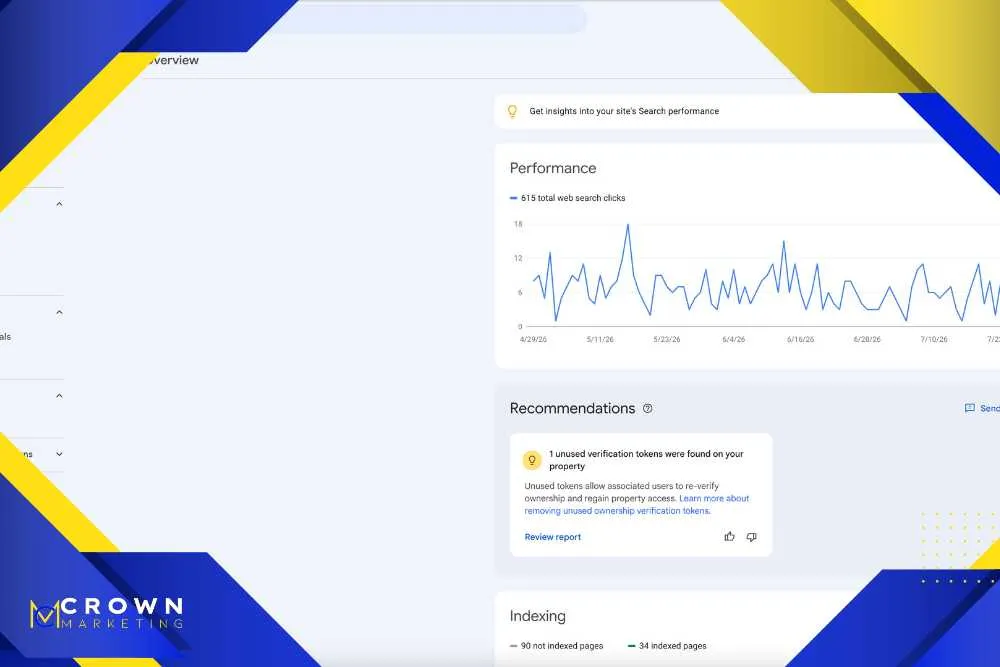
The Performance report is usually the best place for beginners to start. It shows impressions, clicks, average position, and click through rate. An impression means your site appeared in search results. A click means someone selected your result. Average position gives a rough sense of where the page appeared, and click through rate shows how often searchers clicked when they saw it.
- Review queries that already produce impressions. These are searches where Google is already testing your site. If a query is relevant but the position is low, the page may need stronger content, better headings, improved internal links, or a clearer title tag.
- Look for pages with impressions but few clicks. A page may be visible but not attractive enough to earn clicks. This can point to weak title tags, vague meta descriptions, or content that does not match the search intent.
- Compare branded and non branded searches. Branded searches show people already know the business. Non branded searches show whether the site is reaching new potential customers who are searching by need, service, or location.
- Filter by page to study one landing page at a time. Looking at the whole site can feel overwhelming. Filtering by an important service page helps you understand which searches are connected to that page.
- Track changes after updates. If you update content, improve speed, or change titles, Search Console can help show whether impressions and clicks improve over time.
Performance data is not perfect, but it is directionally useful. It can help decide which pages deserve more content, which blogs should be expanded, which titles need testing, and which service pages may not be aligned with the way customers search.
Fixing Indexing, Crawl, and Mobile Problems
Search Console is also where many site health problems show up first. Indexing errors, mobile usability issues, and security warnings all surface here first; technical SEO services can help you resolve them before they grow into larger ranking problems. For a business owner, the key is knowing which warnings need immediate action and which ones simply need monitoring.
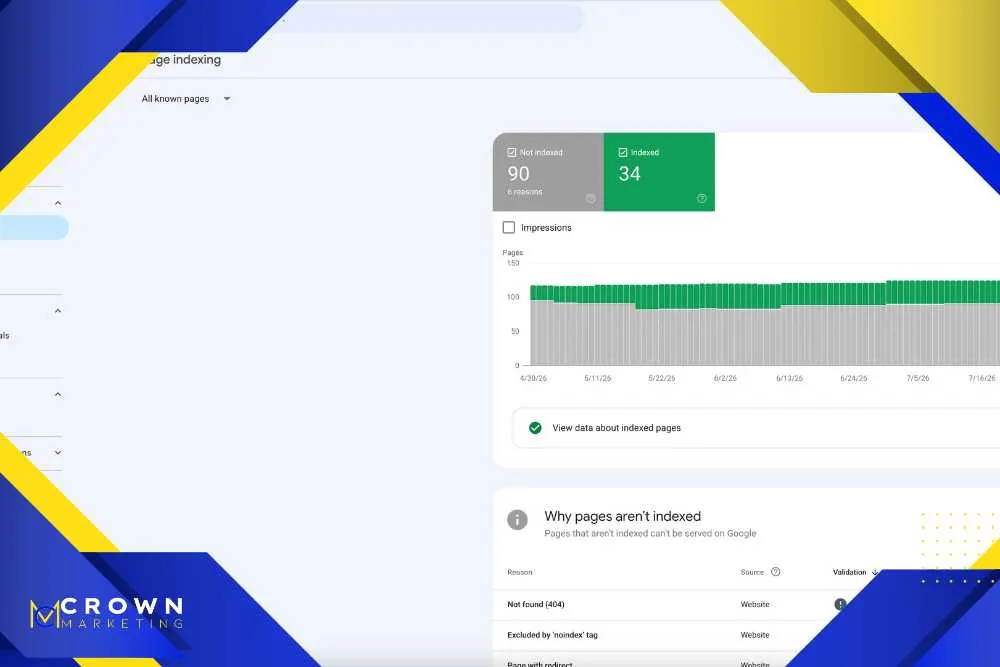
- Page indexing issues show whether Google can include pages in search. If an important page is marked noindex, blocked, redirected incorrectly, or discovered but not indexed, it may not be able to rank the way you expect.
- Crawl issues can reveal access problems. Google may have trouble reaching a page because of server errors, redirect loops, blocked resources, or poor site structure. These issues can affect visibility beyond one page.
- Mobile usability signals matter for real users. If buttons are too close, text is hard to read, or the layout breaks on phones, customers may leave quickly even if they find the page.
- Security messages should be taken seriously. Malware warnings, hacked content, or unsafe browsing alerts can damage trust quickly. These issues should be investigated as soon as they appear.
- Core Web Vitals can point toward performance issues. Speed, responsiveness, and layout stability affect the experience people have after clicking from search. Slow pages can hurt both SEO and conversions.
Not every warning means the site is in danger. Some excluded pages are normal, such as thank you pages, admin URLs, duplicate parameters, or intentional redirects. The value comes from separating harmless notices from problems that affect important pages.
Turning Search Console Data Into an Action Plan
Search Console gives you data, but data alone does not create results. Not sure how to read the data? digital marketing consulting services can include hands on training so your team can use these tools confidently. The goal is to turn reports into clear next steps, not just collect screenshots for a monthly meeting.
- Connect data to business goals. A page that gets traffic is not always a valuable page. The right questions are whether the page attracts the right audience, supports a service, and helps create calls or form submissions.
- Prioritize by impact. A small issue on a high value service page may matter more than dozens of notices on low value pages. Prioritization keeps the team focused on the work that can move the business forward.
- Match queries to intent. Some searches show buying intent, while others show research intent. Understanding the difference helps decide whether to create a service page, blog post, FAQ, or landing page.
- Pair Search Console with analytics. Search Console shows search visibility. Analytics and conversion tracking show what visitors do after they arrive. Together, they give a clearer view of performance.
- Create a repeatable review process. Monthly reviews can track clicks, impressions, indexing, content opportunities, and technical concerns. This keeps Search Console from becoming another tool nobody checks.
A beginner does not need to know every report on day one. The smartest path is to build a simple rhythm: check performance, review indexing, watch important pages, document changes, and connect the insights to real website updates.
Using Search Console Insights to Improve Results
Search Console becomes more powerful when the findings lead to action. Pairing Search Console insights with website optimization services can turn raw data into real ranking improvements. If the tool shows low click through rate, the title and meta description may need work. If a page has impressions for the wrong searches, the content may need to be refocused. If a service page has no impressions at all, the site structure may not be helping Google understand it.
Website optimization can include rewriting page titles, improving headings, expanding thin content, strengthening internal links, compressing images, cleaning up technical issues, and improving calls to action. Each update should have a reason behind it. Search Console helps identify that reason.
For example, a Las Vegas service business might see that a page appears for broad keywords but not location based searches. That could mean the page needs stronger local signals, better service area content, or internal links from related pages. Another page might appear often but get very few clicks. That could mean the title is too generic or the meta description does not make the value clear.
The most useful work often comes from connecting multiple signals. If a page has low position, weak engagement, and no conversions, the issue may be content and conversion. If a page ranks but loads slowly, the issue may be performance. If a page is strong but not indexed, the issue is technical. Search Console helps find the starting point.
Google Search Console FAQs for Beginners
Is Google Search Console free?
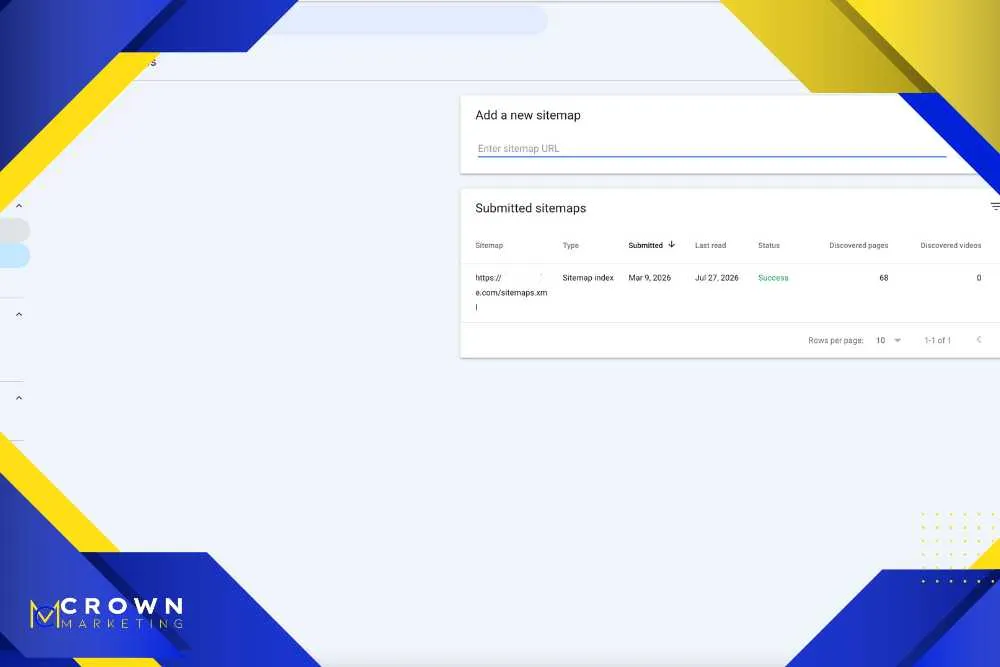
Yes, Google Search Console is free. You need to verify ownership of the website before data appears. Once connected, it can show search performance, indexing status, sitemaps, page experience data, security messages, and other information about how Google interacts with the site.
How long does it take to see data in Google Search Console?
After verification, some reports may appear quickly, but useful performance data usually builds over time. A brand new site or newly verified property may need several days before meaningful information appears. Trends become more useful when reviewed over weeks and months.
What is the difference between Google Search Console and Google Analytics?
Search Console focuses on how the website performs in Google Search before and during the click. Google Analytics focuses more on what visitors do after they reach the site. Both tools are useful, but they answer different questions.
Do indexing errors always mean something is wrong?
No. Some pages are intentionally excluded from search, such as duplicate pages, redirected URLs, filtered pages, or thank you pages. The important question is whether valuable pages are indexed and eligible to appear in search.
Can Google Search Console improve rankings by itself?
No, Search Console is a reporting tool. It does not improve rankings just because it is installed. The value comes from using its data to improve content, technical SEO, website performance, internal links, and conversion paths.
Ready to Put Google Search Console to Work?
Google Search Console is not just a technical tool for SEO specialists. It is a practical dashboard for understanding how Google sees your site, where search visibility is growing, and which issues need attention. When reviewed consistently, it can help business owners make smarter decisions about content, service pages, web design, and website performance.
Crown Marketing can help you set up the tool, read the reports, prioritize the issues, and turn the findings into meaningful website improvements. If you want a Las Vegas digital marketing company that can connect Search Console data to SEO, content, tracking, and conversion work, our team can help. Want help making sense of your Search Console data? Contact Crown Marketing for a free consultation.