
Woman-Owned & Veteran-Owned40+ Years Combined ExperienceLas Vegas, NevadaNo Contracts, Ever

Web & Digital Services Company

GA4 And Google Tag Manager Setup Done Properly

GA4 And Google Tag Manager Setup Done Properly2026-09-17T23:27:04+00:00

GA4 and Tag Manager, rebuilt so the numbers mean something

Almost every GA4 property we look at was migrated in a hurry, configured by whoever built the site, and never revisited. Events fire on things that are not conversions, internal traffic is counted, channel groupings are wrong, and the tag container has six years of scripts in it that nobody can account for.

This is fixable in a couple of weeks and it is the prerequisite for every other decision you make about marketing. Events that represent real leads, calls and forms both counted, internal and bot traffic filtered, channels grouped correctly, consent handled, and one clean tag container instead of scripts pasted into the theme by three different vendors.


Rebuilding GA4 conversion events so they represent real leads

Six parts of the setup

Roughly the order we do them in, and the order they matter.

Events And Key Conversions

Rebuilt so each conversion corresponds to something a human would call a lead, and so the counts reconcile with your inbox and CRM.

  • Real leads, not page views
  • Reconciled with your inbox
  • Duplicates removed

Calls And Forms Together

Phone leads are the biggest blind spot in most analytics setups. Dynamic call tracking wired in so calls appear beside form fills with the source attached.

  • Calls counted as conversions
  • Source attached to each
  • Forms verified end to end

Filtering And Data Quality

Internal traffic, bots, staging and referral spam removed. A meaningful share of the sessions in an unfiltered property are not customers at all.

  • Internal traffic excluded
  • Bots and spam filtered
  • Staging kept out

Channel Groupings

So paid, organic, direct, email and referral are attributed correctly. Misconfigured groupings are why so many reports show implausibly large direct traffic.

  • Custom channel groups
  • Campaign tagging standardized
  • Direct traffic explained

Tag Manager Cleanup

One documented container instead of scripts scattered through the theme. Faster pages, fewer conflicts, and changes that do not need a developer.

  • Container audited and documented
  • Dead tags removed
  • Changes without code

Consent And Compliance

Consent mode configured so analytics behaves correctly for visitors who decline, and so you are not quietly collecting things you said you would not.

  • Consent mode configured
  • Banner wired properly
  • Retention settings reviewed

What a proper analytics setup involves

Two to four weeks, and then every other marketing decision gets easier.

Cleaning up a Google Tag Manager container

Start by testing what is already there

We submit your forms, call your tracked numbers and watch what appears in GA4 and the ad platforms. That simple exercise finds most problems in an afternoon and it is skipped almost universally, which is why so many accounts optimize against numbers nobody ever validated.

A conversion has to mean a lead

Page views, scroll depth, clicks on a phone link that was never dialed, and duplicate events all inflate conversion counts and teach bidding algorithms the wrong thing. We rebuild the events so each one is something you would be happy to call a lead.

Get the phone into the data

For most service businesses the majority of leads never touch a form. Analytics that ignores calls will consistently undervalue whichever channel drives them, which is usually search. Call tracking is the single highest value addition in most setups.

Filter the noise out

Your own team, your developers, bots, uptime monitors and staging environments all inflate session counts and distort behavior metrics. Filtering them changes the numbers, sometimes uncomfortably, and it is the only way conversion rate means anything.

One tag container, documented

Scripts pasted directly into the theme by different vendors over the years slow the site, conflict with each other, and cannot be audited. Everything moves into one container with a name and a purpose recorded for every tag.

Then set up the reporting

Explorations and a dashboard built around the questions you actually ask, plus the ad platform links so paid and organic can be compared honestly. The setup is only finished when someone can answer a real question with it in under a minute.
Why clients stay with us

We are a small team on purpose. The person configuring your tracking is the person who will use it in your monthly report.

  • Two owners on your account, testing the whole path by hand
  • Every account in your name, with your data and your history
  • 40+ years of combined experience across analytics, search and paid
  • We reconcile the numbers with your inbox rather than trusting the dashboard
  • Month to month, no long term contracts

Case Study

Webster & Garino LLC

An Indiana law firm with an established brand and almost no organic presence. We rebuilt the site on WordPress, produced content and video at volume, fixed the technical foundation and built a real internal linking strategy.

+2,000%
Website traffic
+90%
Conversions

Clients across the country, and the reviews to back it up

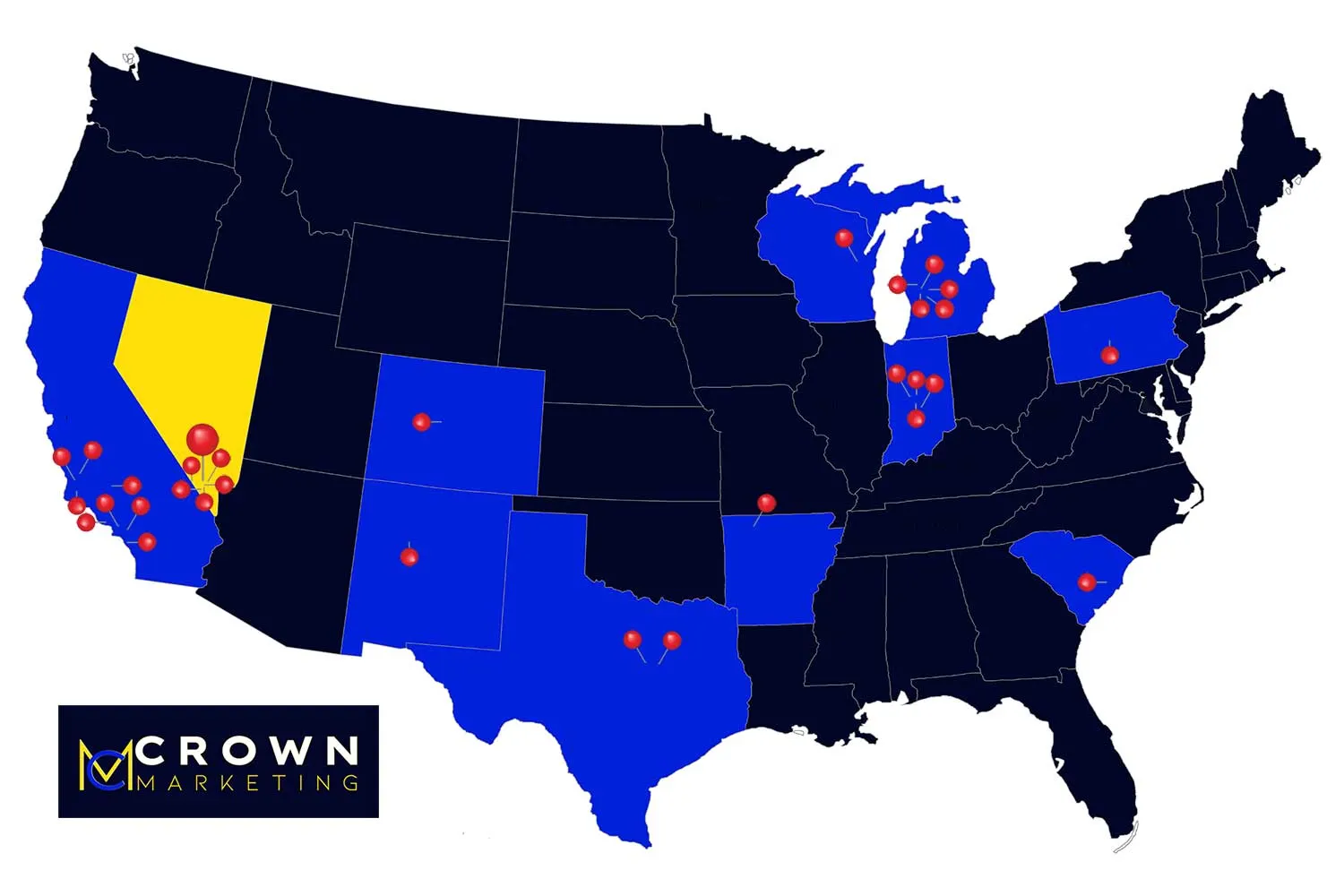
Every review is from a real client and every pin is a real market. We are based in Las Vegas and we run campaigns for clients in cities all over the country. The signals search engines read are the same everywhere, so the playbook travels.

Map of the United States showing the markets Crown Marketing runs local SEO campaigns in

Frequently asked questions about GA4 and Tag Manager

The things people ask on the first call, answered before you make it.

Because they count differently. Google Ads credits the click that led to a conversion inside its window, GA4 applies its own attribution to the session, and neither one knows about a phone call unless you tell it. Some gap is normal. A large unexplained gap usually means the conversion setup is wrong.
Almost always, and we prefer to. Starting a fresh property loses your historical data and your year over year comparisons. We rebuild events and settings inside the existing property unless it is genuinely beyond saving.
Two to four weeks including call tracking, validation and the dashboard. Faster if the existing setup is mostly sound, longer if there are several sites or ecommerce involved.
If you have more than two or three scripts on the site, yes. It makes changes possible without a developer, keeps the site faster, and gives you a documented record of what is loading and why.
Not when it is set up correctly. The tracking number is swapped in the browser for visitors from tracked sources while your real number stays in the page source, the schema and your Google Business Profile. Done badly, with hardcoded numbers everywhere, it can cause problems.
We configure consent mode so analytics behaves correctly when a visitor declines, and wire it to whatever banner you use. Which consent requirements apply to you depends on where your customers are, and we will flag what we see rather than give legal advice.
You do. GA4, Tag Manager, Search Console and call tracking all under your ownership with us on access. If we part ways you keep the history, which is the part that cannot be recreated.
Where your CRM can export outcomes, yes. Pushing closed deals back into GA4 and the ad platforms is what turns cost per lead into cost per customer, and it is usually the most valuable thing on this page.
A one time project fee, commonly 2,000 to 5,000 depending on the number of sites, conversion actions and integrations. Call tracking has a small monthly platform cost paid by you directly.
Go to Top