
What Makes Google Analytics 4 Different
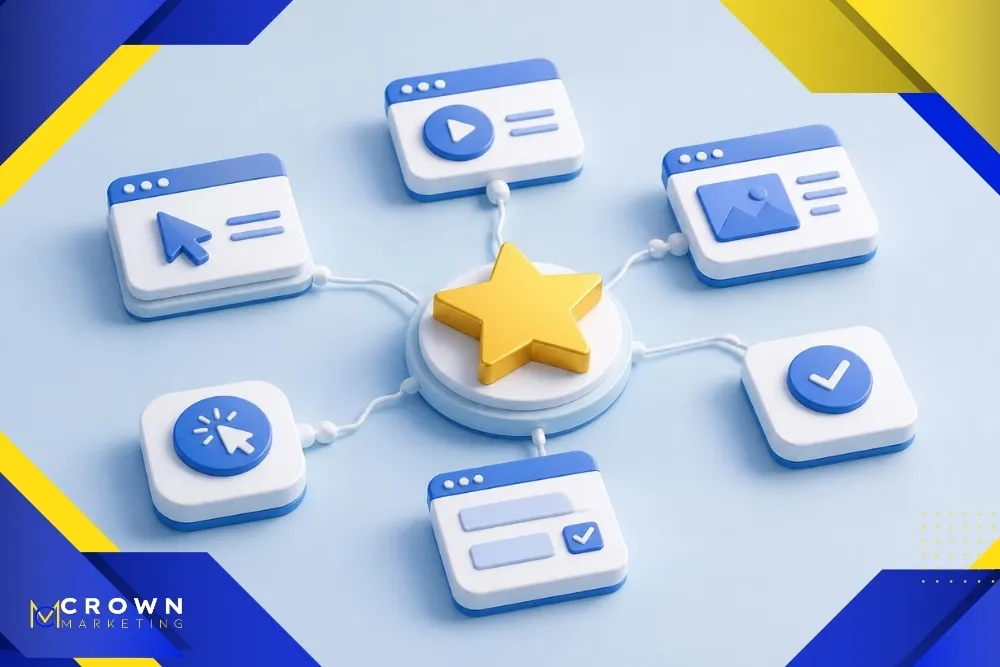
GA4 uses an event-based model. A page view is an event, but so are many other interactions, such as a click, scroll, video start, form submission, or purchase. Events can include parameters that add context, such as the page location, link URL, product, or campaign. This model allows website and app activity to be analyzed in a shared structure.
Older analytics users may remember separate concepts for sessions, pageviews, and goals. GA4 still reports sessions and pages, but event data sits at the center. Goals are now represented by key events. The change gives businesses more flexibility, yet it also makes naming and implementation choices more important.
Google’s overview of Analytics reports explains that reports can monitor traffic, investigate data, and show user activity. Those reports become more useful when the property is organized around the outcomes the business actually values.
Understand Events and Key Events
GA4 collects some events automatically after the tag is installed. Enhanced measurement can collect common interactions such as page views, scrolls, outbound clicks, site searches, and file downloads. Recommended and custom events can measure actions that require business-specific setup.
A key event is an event marked as especially important. For a local service business, examples may include a qualified form submission, a click-to-call action, or a completed booking. An online store may prioritize purchases and checkout steps. Marking every interaction as a key event makes the reports noisy, so choose outcomes that represent meaningful progress.
A practical event plan can include:
- The business action, such as submitting a lead form or completing a purchase.
- The event name and the conditions that cause it to fire.
- The parameters needed to understand source, page, service, or transaction details.
- The method for testing the event before relying on it in reports.
Use consistent event names and document the setup. If different tools send several names for the same form submission, reporting becomes harder to interpret. Test in Realtime and DebugView, then confirm that the event appears correctly in standard reports.
Learn the Reports That Answer Common Questions
The Reports area contains summaries and detailed views. The exact navigation can vary with the business objectives selected during setup and with custom report collections. Instead of opening every report, start with the one that matches the question.
These reports are useful starting points:
- Realtime confirms that recent visits and tested events are reaching the property.
- User acquisition shows how new users were first acquired.
- Traffic acquisition shows how sessions began, which is useful for comparing channels and campaigns.
- Pages and screens shows which content people view and how they interact with it.
Landing page helps evaluate the first page of a session, while key event reports connect activity to outcomes. Owners should compare date ranges and watch trends instead of reacting to one unusual day. Seasonality, promotions, outages, and campaign changes can all affect the numbers.
Acquisition, Engagement, and Conversion Work Together
Traffic volume alone does not show whether marketing is working. A channel can deliver many visits that leave immediately, while another brings fewer people who read important pages and contact the business. GA4 helps connect acquisition with engagement and key events so the team can judge quality as well as quantity.
A digital marketing consulting review can translate these patterns into action. For example, the team may discover that organic visitors engage deeply with a service guide but rarely reach the contact page. That finding can lead to stronger internal paths, clearer calls to action, or a better form experience.
Campaign tagging is important for accurate acquisition reporting. Use consistent UTM parameters for email, paid social, partnerships, and other links that do not label themselves reliably. Establish naming rules before launching campaigns. Inconsistent capitalization or spelling can split one source into multiple rows.

Measure the Customer Journey, Not Just Pageviews
Small business websites often support several conversion paths. One visitor may submit a form, another may call from a mobile device, and a third may view directions before visiting. The measurement plan should reflect those paths while respecting privacy and consent requirements.
Useful journey questions include:
- Which landing pages introduce the most qualified visitors to the business?
- What actions tend to happen before a form submission, call, booking, or purchase?
- Where do visitors abandon important forms or checkout steps?
- Which devices, locations, and channels are associated with stronger engagement and key events?
Not every offline result can be attributed perfectly. A customer may research on one device and call later from another. Treat GA4 as decision support, not a complete record of every human influence. Combine analytics with customer relationship data, call tracking, sales feedback, and operational context when appropriate.
Search behavior deserves its own analysis. Pairing GA4 landing-page and key-event data with SEO performance can reveal which topics attract visitors and which pages help turn search interest into business activity.
Check Data Quality Before Trusting the Numbers
A polished dashboard can still contain unreliable data. Duplicate tags can inflate page views. Internal staff visits can distort engagement. Forms may fire an event when the page loads instead of after a successful submission. Cross-domain journeys may start new sessions when a visitor moves between a website and a booking or payment platform.
Begin with a measurement audit. Confirm the correct property and data stream, review the installed tag, test events, inspect unwanted referrals, and verify campaign naming. Check the reporting time zone and currency. Exclude development traffic where practical and document any filters or transformations.
Privacy settings also affect collection and retention. The business should understand its consent obligations and avoid sending personally identifiable information to analytics systems. Access should be limited by role, and former employees or vendors should be removed. Data governance is part of analytics quality because trust depends on responsible collection and control.

Create a Simple Monthly GA4 Routine
A small business can gain value from a focused monthly review. Start with a stable date range and compare it with the previous period and, when seasonality matters, the same period last year. Note major campaigns, website changes, holidays, or outages before interpreting the numbers.
Review acquisition channels, top landing pages, engagement, key events, and important service pages. Look for meaningful shifts rather than tiny movements. If one channel declines, check whether tracking changed before assuming demand fell. If key events rise, confirm that the event still represents a successful action.
End the review with decisions. Examples include improving a high-traffic page with weak conversion, expanding a topic that brings qualified search visitors, fixing a campaign tag, simplifying a form, or adjusting paid spend. Assign an owner and revisit the change in the next report.
A Las Vegas digital marketing company can help connect GA4 reporting with the local customer journey, including search visibility, calls, forms, and location interest. The value comes from using the data to choose the next action.
Google Analytics 4 FAQ
Is Google Analytics 4 free for small businesses?
The standard version of Google Analytics 4 is available without a subscription fee and is sufficient for many small business websites. Setup, maintenance, consent tools, tag management, dashboards, and professional analysis may still involve costs.
What is the difference between an event and a key event?
An event records an interaction or occurrence, such as a page view, click, form submission, or purchase. A key event is an event the business marks as especially important. Key events should represent outcomes that help evaluate marketing and customer progress.
How long does GA4 take to show data?
Realtime reporting can show recent activity soon after collection begins. Standard reports may take longer to process, and some configuration changes apply only to future data. Test important events before a campaign launches instead of waiting until the campaign ends.
Why do GA4 numbers differ from advertising platforms?
Platforms may use different attribution models, time zones, identity methods, cookie windows, and definitions. Consent choices and browser restrictions can also affect collection. Compare trends and documented definitions instead of expecting every system to report identical totals.
What should a small business track first in GA4?
Start with qualified outcomes such as completed forms, calls, bookings, purchases, or other actions tied to the business model. Then review the channels and landing pages that contribute to those outcomes. A short reliable measurement plan is more useful than dozens of untested events.
Turn GA4 Data Into Clearer Decisions
GA4 is most useful when the setup reflects real business goals and the review process leads to action. Accurate events, carefully chosen key events, consistent campaign tags, and a small set of relevant reports can give owners a clearer view of website performance without requiring them to live inside the platform.
Feeling lost in GA4? Contact Crown Marketing for a free analytics walkthrough.